Plan a Build: Taking BYO-LLM AI in ServiceNow to the Next Level
By Chris Gatlin, Founder, GMG Technology (gmgtechllc.com)
GMG Plan and Build (in development) is built on top of the GMG AI Agent open-source core. Here are two examples: first a catalog item with its fulfillment flow, then a legacy workflow conversion.
A lot of AI in ServiceNow stops at chat. You ask a question, you get an answer, and then you go build the thing yourself.
I wanted more than that from my open-source GMG AI Agent. So I built GMG Plan and Build (in development) on top of that core.
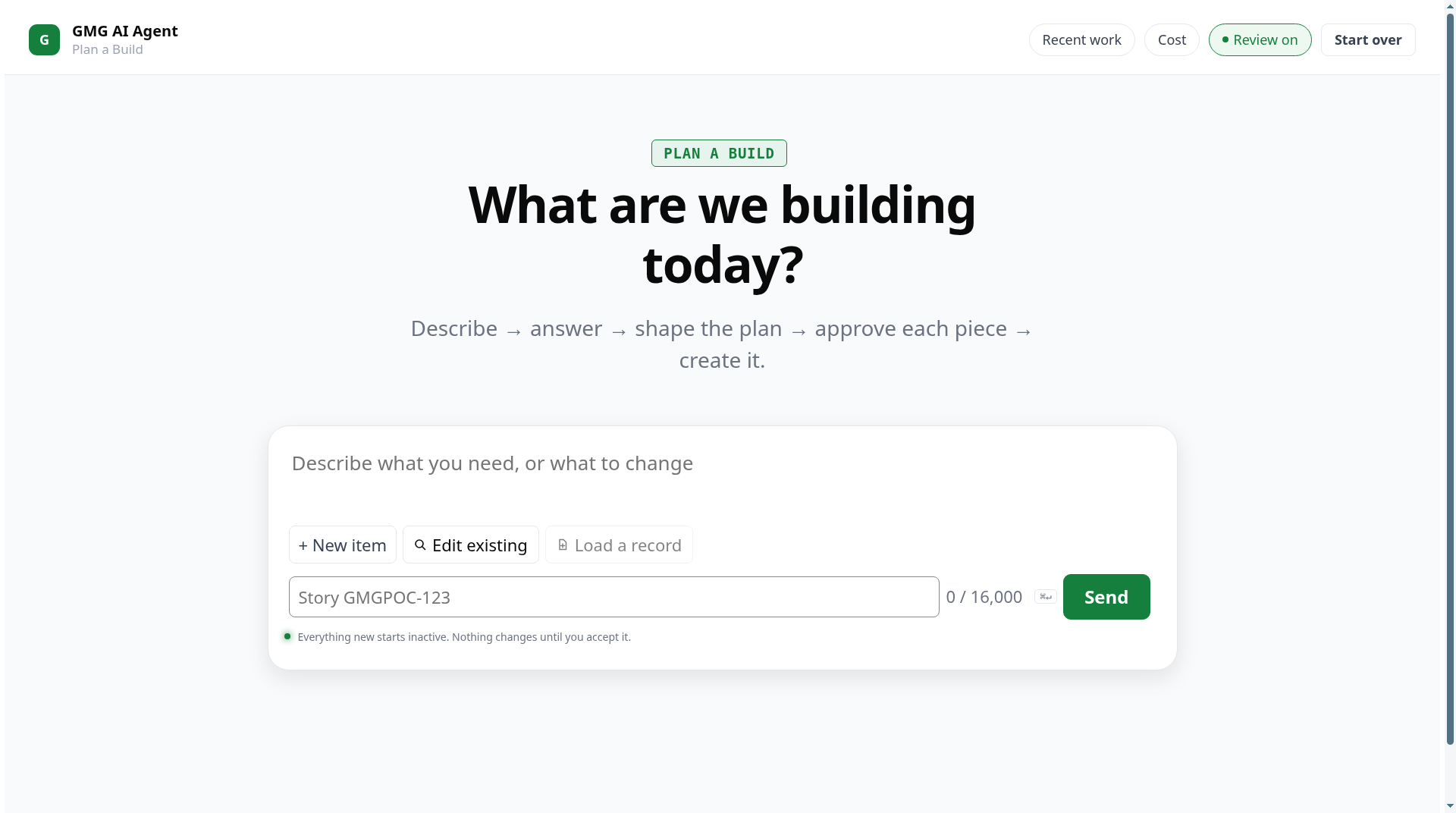
You describe what you need. The agent plans it and proposes real platform changes as cards. You review each one, and nothing is written until you Accept.
What GMG AI Agent is
GMG AI Agent is an open-source (Apache 2.0) scoped app, x_gmg_ai, that runs inside your ServiceNow instance. It's bring-your-own-LLM: it works with Anthropic and any OpenAI-compatible API, and your admin picks the model. It is not Now Assist.
Bring-your-own-LLM was step one. Plan a Build is the next step. It builds on the open-source agent, but it is not part of the open-source release.
What Plan a Build does today
One plan, several pieces. A single build can hold more than one item. For example, a catalog item and the flow that fulfills it, planned and ordered together.
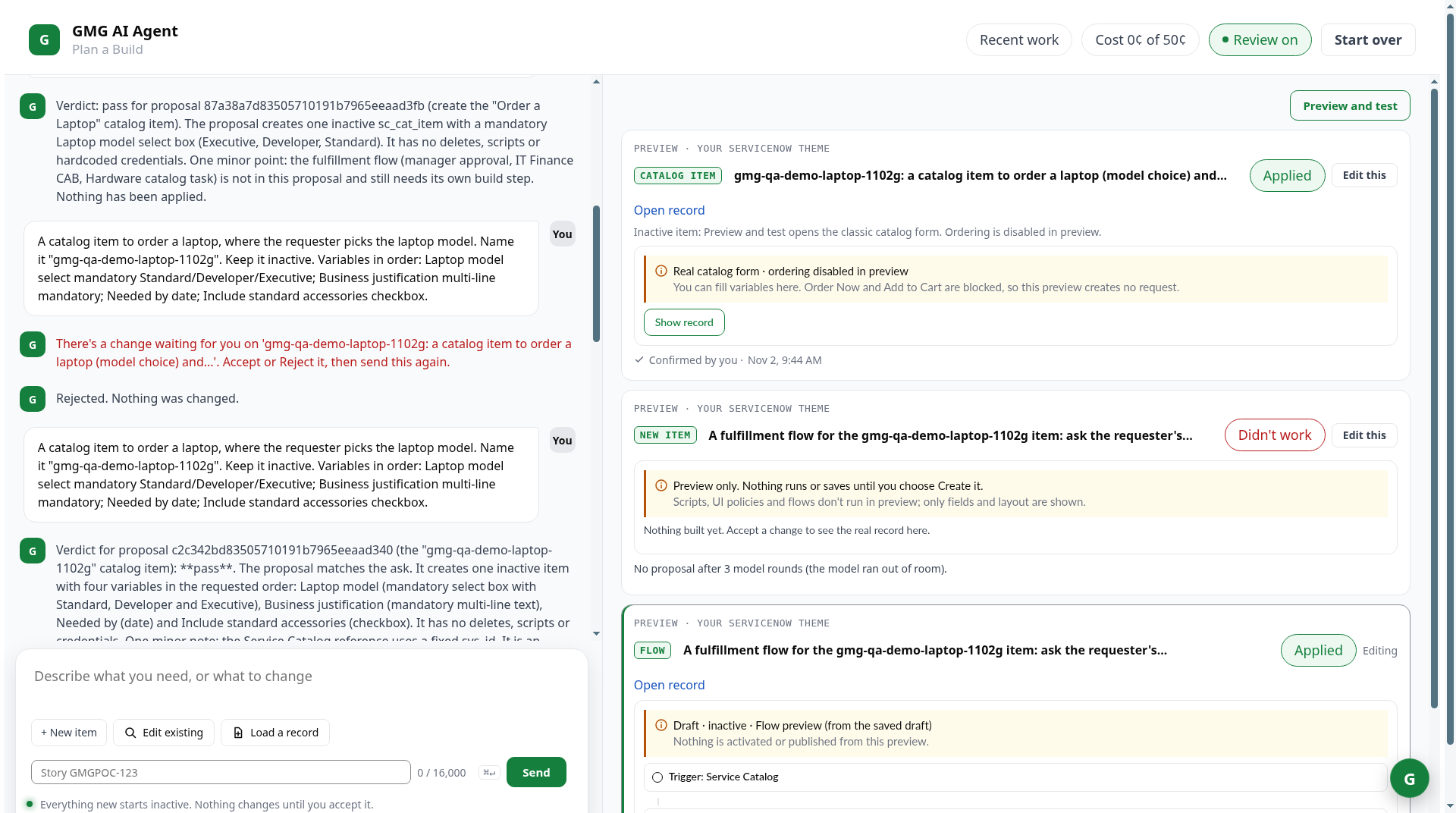
You confirm, then it writes. The agent only proposes. Each change is a card, a second reviewer bot checks it, and you Accept it before anything is written. If you reject a card, nothing is written.
Safe by default. New flows come out as drafts and inactive. Catalog items, business rules, client scripts, UI policies, and ATF tests are created inactive. It never deletes anything; removals become inactive, and only when you ask. Activate, publish, and order stay human steps.
An audit trail. Every change lands in its own named update set, ready to review and promote.
Your permissions. It reads and writes with your ACLs. Builds are scoped to who you are, and applied work is read-only.
Your meter, your cap. It estimates tokens and cost per chat, sets daily and monthly caps per provider, warns at 80%, and stops at the cap. A log row records every run.
Pick up where you left off. Saved builds reopen with their chat history.
And across the agent's tools, GMG AI Agent can propose catalog items and variables, Flow Designer flows, business rules, script includes, client scripts, new fields and choices, UI policies, ATF tests, and more.
Example 1: Catalog item and fulfillment flow
This week's example: a richer laptop request
To show it on something real, I described a laptop request the way a fulfillment team actually wants it:
- A catalog item with 4 variables: model, business justification, needed-by date, and accessories
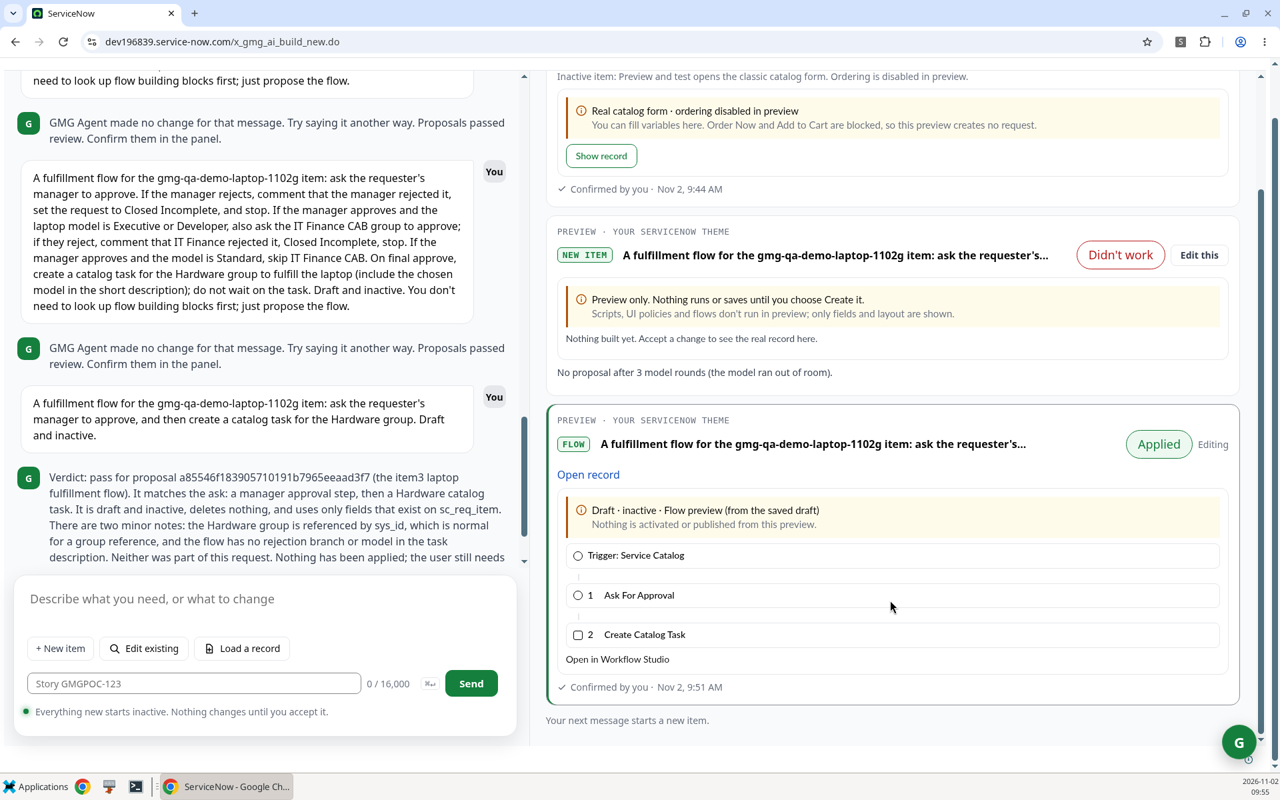
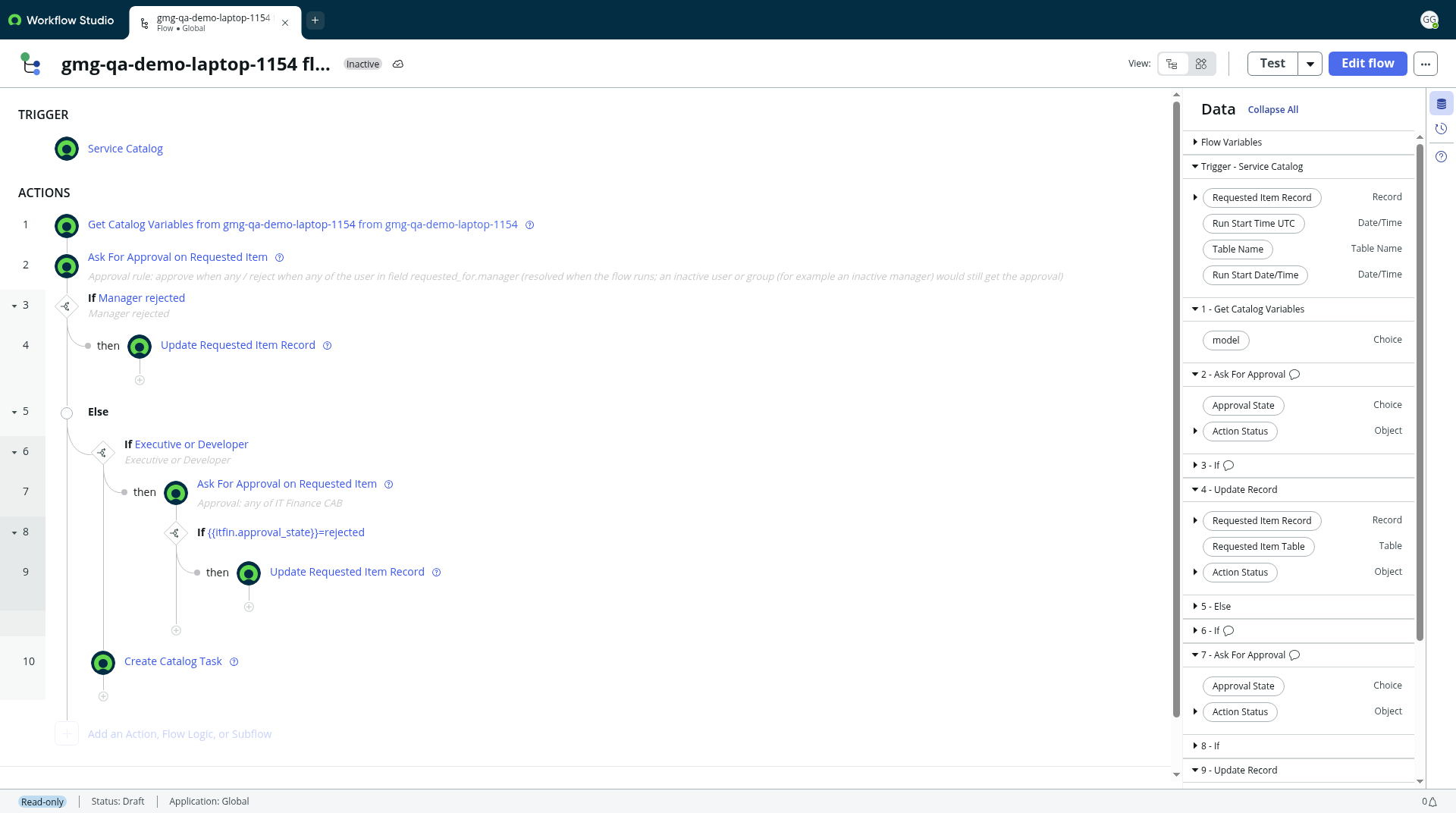
- Manager approval first
- A second approval from IT Finance CAB when the model is Executive or Developer
- A catalog task to Hardware to fulfill it
- Reject paths that comment on the request and close it as Closed Incomplete
Plan a Build proposed the catalog item and the flow in one plan. I confirmed the item, then the flow, then Accepted. The item came out inactive and the flow came out as a draft.
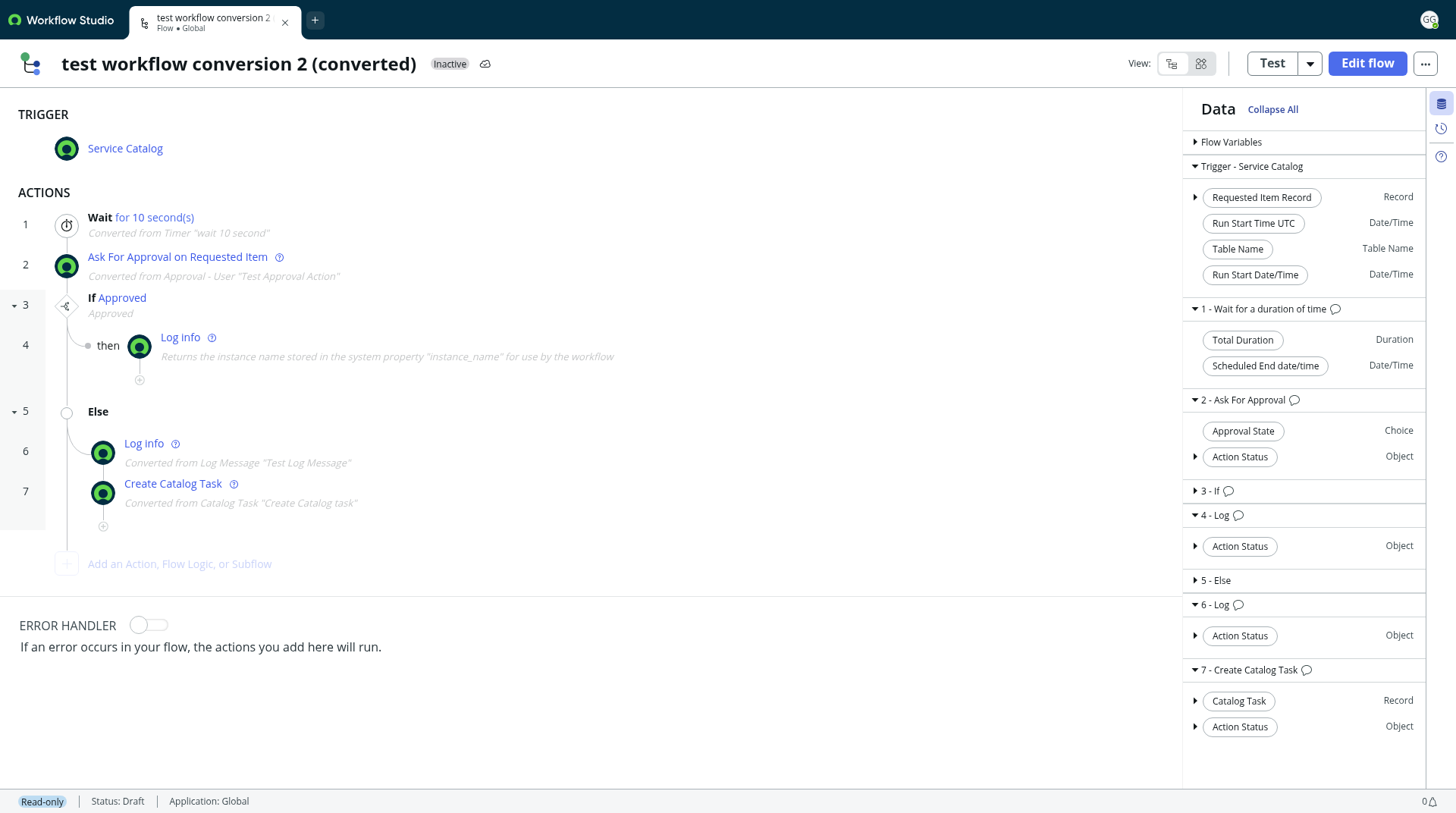
Example 2: Converting a legacy workflow to a flow
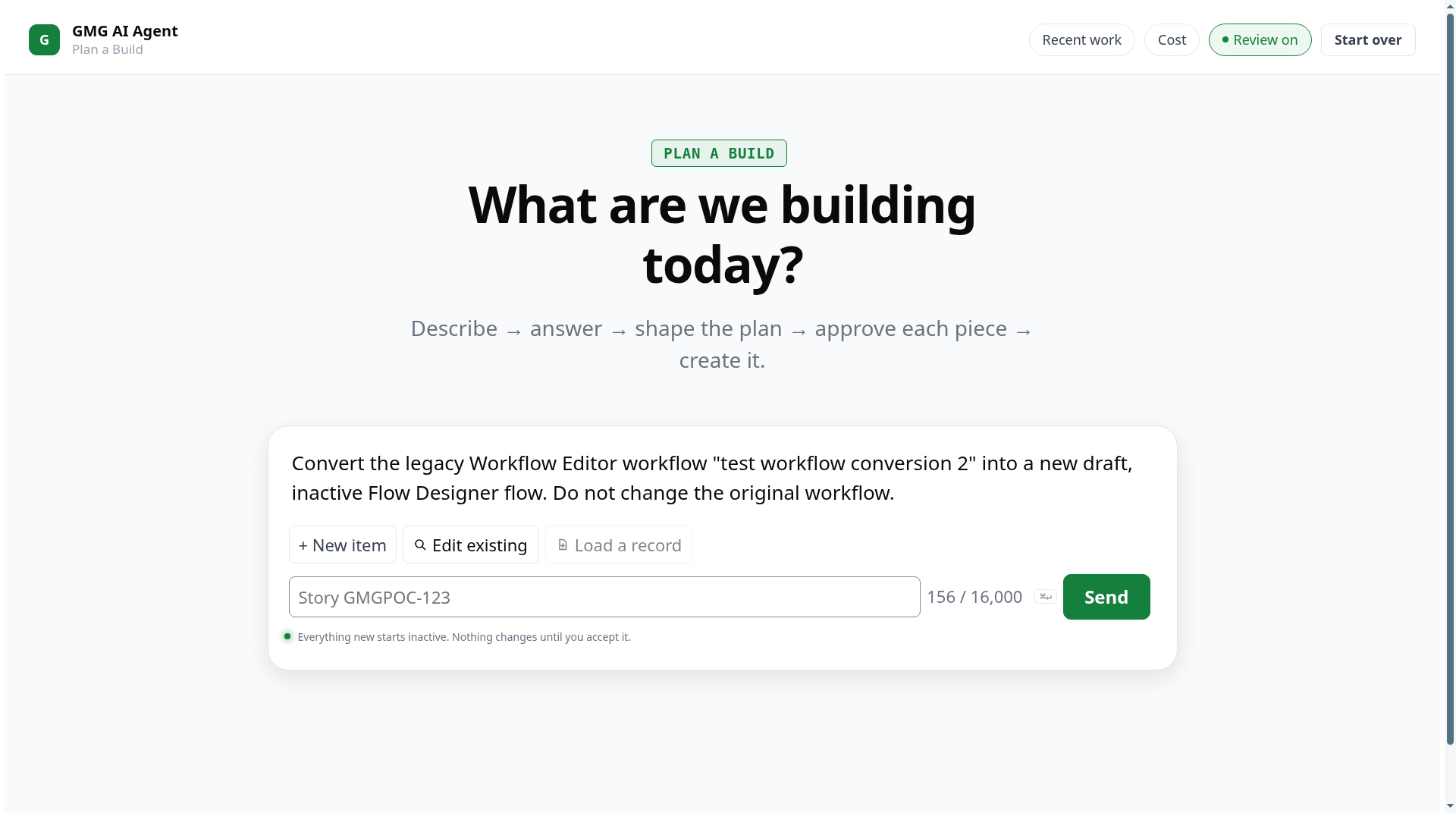
I gave GMG Plan and Build (in development) one prompt.
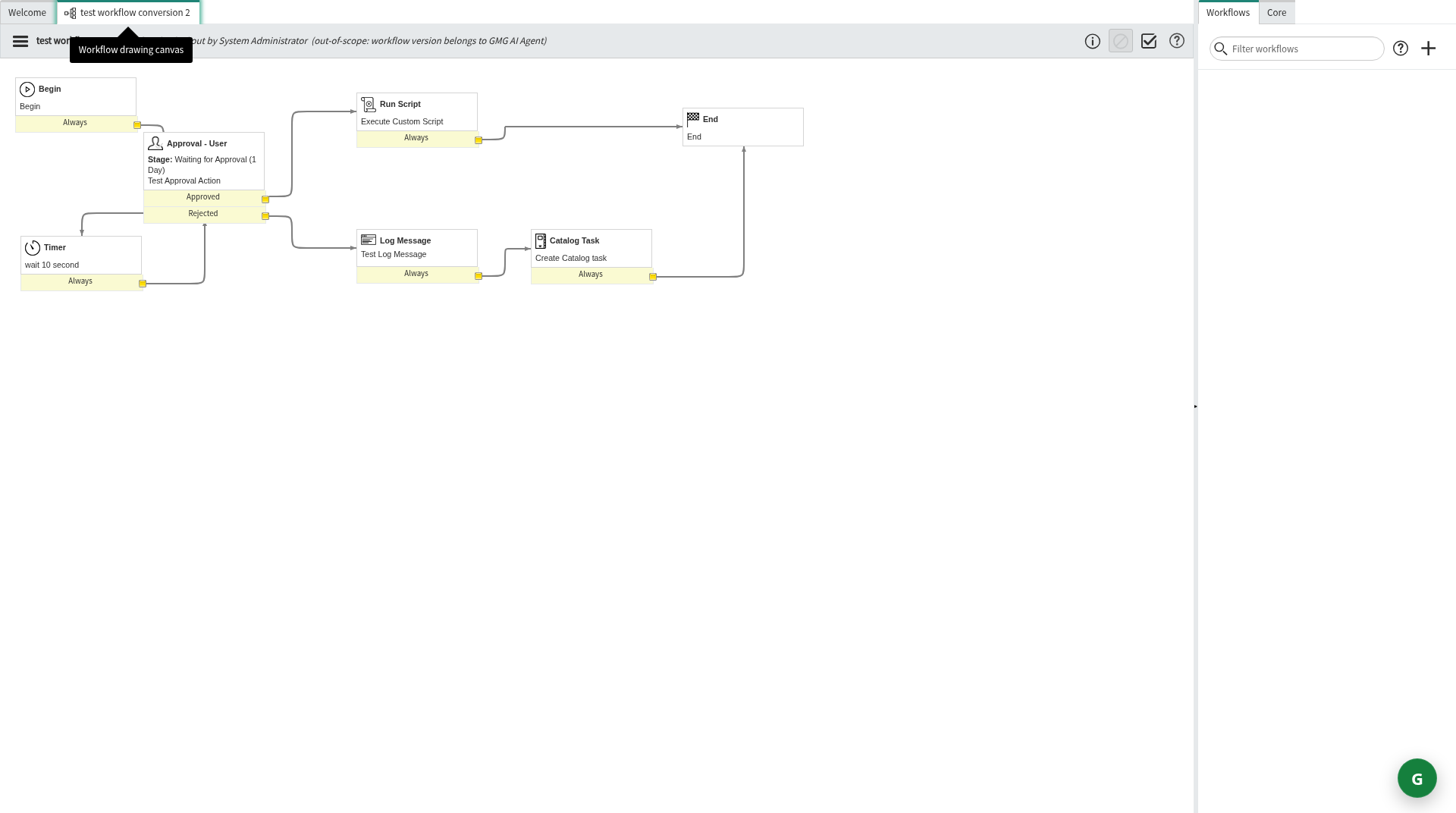
It read the old workflow.
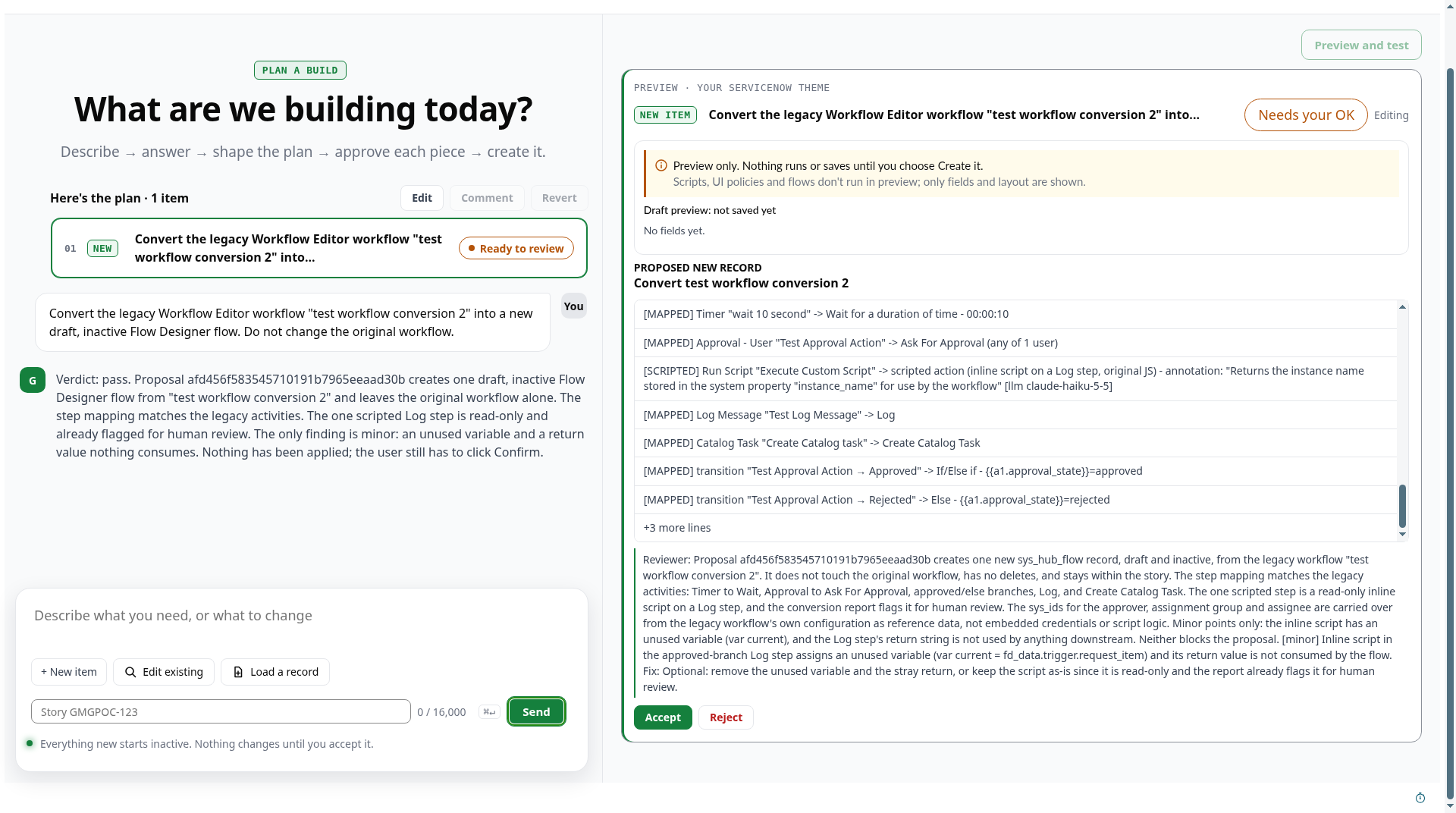
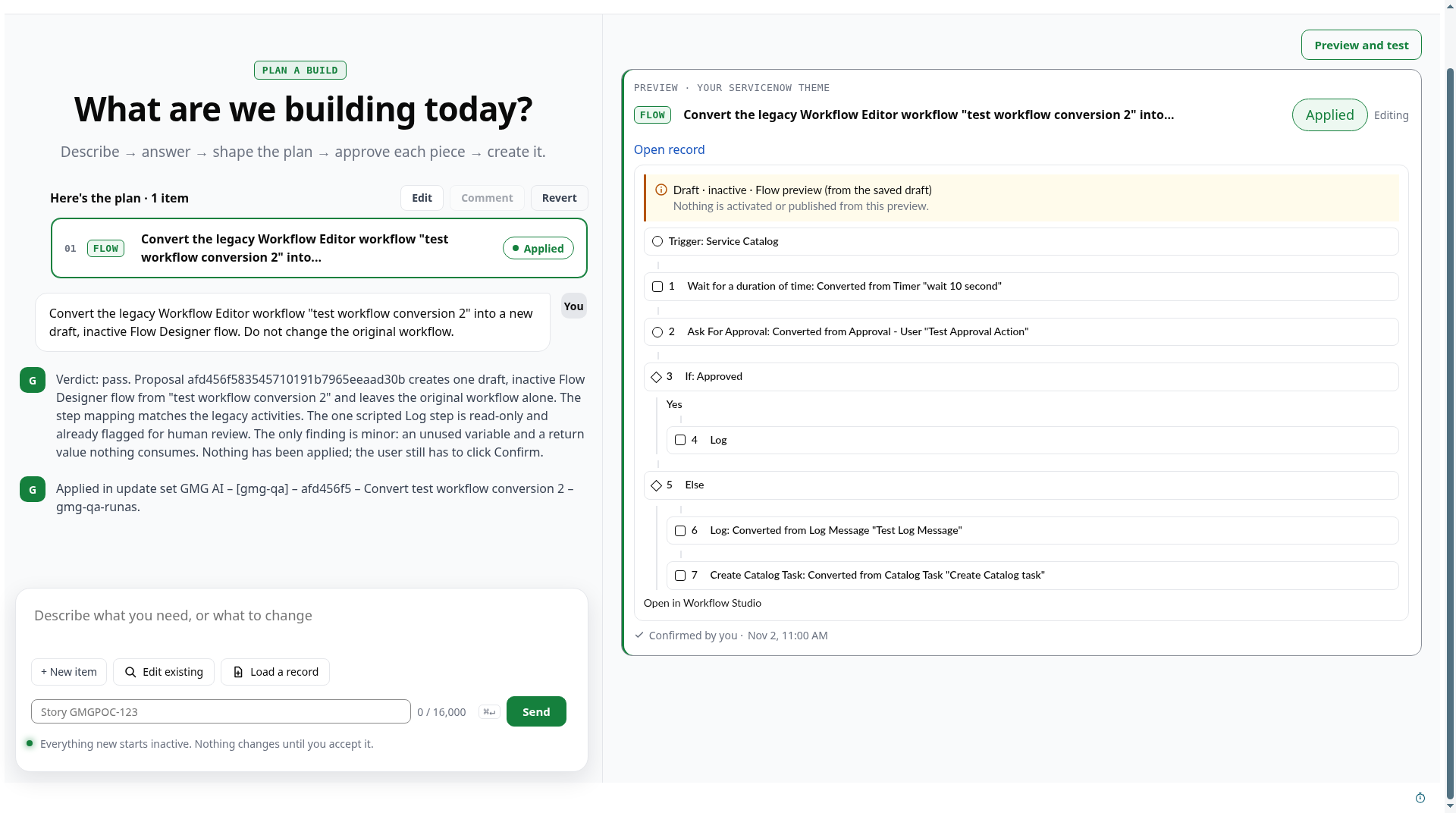
It converted that workflow into a draft flow and flagged anything that needs a person.
The original workflow is untouched.
Nothing is activated until a person reviews it.
The lesson that made it work
Catalog variables aren't direct pills in Workflow Studio. Before I taught the agent anything, I hand-built a reference flow and decoded what Studio really stores. Studio reads variables through a Get Catalog Variables step.
So now, when a plan references a catalog variable, the agent inserts that step, rewrites the conditions to the shape Studio expects, and refuses any variable that isn't on the item.
That's the rule I keep relearning: capture what the platform really stores before you teach an agent to generate it.
Honest rough edges
- Create Catalog Task still waits even when you ask it not to.
- Group names have to exist on your instance.
- Some labels show raw values.
- A specific prompt works much better than a vague one-liner.
What's coming: the CMDB
Catalog items and flows are just the start. Next, I'm pointing Plan a Build at the CMDB.
I want it to read your CMDB and CSDM setup and give you a plain-language read on where it stands and what to fix first. From there, I'm aiming for it to help plan out structure the right way, explain Discovery errors, help with service maps where you have Discovery and Service Mapping, and decode how your infrastructure and processes fit together.
ServiceNow keeps running Discovery and Service Mapping. GMG advises and proposes.
The same rules will apply: it proposes, you confirm, and you own go-live. More on that soon.
Try it
The open-source GMG AI Agent is free to try. Install it on a dev instance and connect your LLM. Plan a Build is not in the open-source release, so if you want to see it run on your instance, reach out to me on LinkedIn.
👉 Repo: github.com/cgatlin08/gmg-ai-agent-for-servicenow
What would you want Plan a Build to take on next? Tell me in the comments on my LinkedIn post.
Chris Gatlin, GMG Technology LLC
ServiceNow, Workflow Studio, Service Catalog, and Flow Designer are trademarks of ServiceNow, Inc. GMG Technology LLC is not affiliated with or endorsed by ServiceNow.